








































If you’re a CIO, CTO, or an IT Head, you know the drill: the data center is the heart of your organization, but it’s also the biggest "electricity vampire" on the balance sheet. In fact, cooling alone can account for up to 40% of a data center’s total energy consumption.
The problem isn't just the bill; it's the risk. One hot spot, one failed fan, or one miscalculated airflow path can lead to hardware failure, downtime, and millions in lost revenue. But here’s the kicker: most data centers are actually over-cooling their equipment to compensate for poor visibility. They are throwing money at the problem because they can't see what's actually happening at the rack level.
At IT Consultant, we’ve seen it all. We help leadership teams optimize their infrastructure, and today we’re diving into the 7 most common data center cooling mistakes and how AKCP monitoring solutions can help you reclaim 30% of your power budget while extending the life of your hardware.
1. The "Arctic Tundra" Mistake: Overcooling Your Servers
Most IT Managers have a "better safe than sorry" mentality. They keep the data center floor at a chilly 18°C (64°F). While it feels great for humans, it’s a massive waste of cash.
According to ASHRAE (the authority on data center standards), modern servers can comfortably operate at intake temperatures as high as 24°C to 27°C (75°F to 80°F). By raising your setpoint just a few degrees, you can save significant amounts on your chiller and fan energy. However, you can’t do this safely if you don’t have granular monitoring.
The AKCP Fix: By using AKCP rack inlet temperature sensors, you get real-time data on exactly what the servers are breathing in. If the sensors show the air is well within the safe zone, you can confidently turn up the thermostat and watch your energy bill drop.
2. Leaving the "Gaps" Wide Open

Think of your data center like a house with the AC on. If you leave the windows open, you’re cooling the neighborhood, not your living room. In a server rack, "open windows" look like missing blanking panels or unsealed cable cutouts in the raised floor.
When these gaps exist, "bypass air" occurs. Cold air intended for the servers escapes before it ever reaches the equipment, and hot air recirculates back into the intake. Your cooling units have to work twice as hard to achieve half the results.
The AKCP Fix: AKCP’s Airflow and Differential Pressure sensors detect when air isn't moving where it should. By measuring the pressure difference between the cold aisle and the hot aisle, you can identify exactly where leaks are occurring and seal them up.
3. Misaligned Aisles: The Hot/Cold Mix-Up
If your racks aren't arranged in a strict Hot/Cold Aisle configuration, you are essentially trying to cool your servers with their own exhaust. Even in facilities that think they have a proper layout, gaps in containment or misaligned perforated floor tiles cause "thermal short-circuiting."
This leads to "hot spots": isolated areas where temperatures spike even though the rest of the room is freezing.
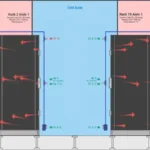
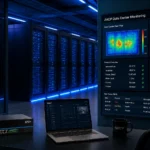
The AKCP Fix: We recommend using AKCP Thermal Map Sensors. These sensors provide a 3D visualization of your rack, measuring temperature at the top, middle, and bottom, as well as the front and back. It gives you a literal "heat map" of your data center, showing you exactly where your containment is failing.
4. Measuring the Room, Not the Rack
Many old-school data centers rely on a single wall-mounted thermostat or the return air sensor on the CRAC (Computer Room Air Conditioning) unit. This is a massive mistake. The temperature at the wall is irrelevant; what matters is the temperature at the server intake.
If you rely on room-level sensors, you won't know a rack is overheating until the server fans are screaming at 100% or the hardware starts shutting down.
The AKCP Fix: AKCP is the world’s oldest and largest manufacturer of networked sensors. Their Cabinet Thermal Map is designed to give you rack-level visibility. This is why we tell every CIO: Buy your AKCP monitoring system before you buy your next server. It’s the insurance policy that ensures your $50,000 server doesn't cook itself.
5. "Fighting" Cooling Units

In many data centers, multiple cooling units (CRAHs or CRACs) are operating independently. If their sensors aren't calibrated or if they are placed too close to one another, they can start "fighting." One unit might be trying to dehumidify while the other is trying to add moisture. One might be cooling at full blast while the other is in standby.
This redundancy isn't providing safety; it's providing a massive electricity bill.
The AKCP Fix: By centralizing your data in the AKCPro Server software, you can synchronize your cooling strategy. You can see which units are over-delivering and shut down excess capacity during low-load periods, ensuring all units work in harmony.
6. Ignoring Differential Pressure
Airflow is about more than just temperature; it’s about pressure. If the pressure under your raised floor isn't high enough, the cold air won't make it to the top of the racks. Conversely, if it's too high, you're wasting fan power.
Most IT Heads ignore differential pressure until a hot spot appears. By then, it’s usually a reactive, expensive fix.
The AKCP Fix: Using AKCP Differential Pressure sensors, you can maintain the "sweet spot" of airflow. This allows you to reduce fan speeds (using VFDs) to the minimum required level. Since fan power follows the "cube law," a 20% reduction in fan speed can lead to nearly a 50% reduction in energy used by that fan!
7. The Lack of Predictive Analytics
The biggest mistake is being reactive. Most organizations wait for an alarm to go off before they check their cooling. By then, the damage: or the waste: is already done.
Without historical data, you can't see the trends. Is that rack getting 1 degree warmer every month? Is the chiller efficiency dropping as the outdoor temperature rises?
The AKCP Fix: AKCP provides the data lineage and analytics needed to move from reactive to predictive maintenance. By monitoring the PUE (Power Usage Effectiveness) in real-time, you can justify IT investments to the CFO by showing exactly how much money you’ve saved.
Why AKCP is Your Most Important IT Purchase

At IT Consultant, we often get asked, "When should we install environmental monitoring?" Our answer is always: Before you power on your first rack.
Think about it. You wouldn't buy a Ferrari and drive it without a dashboard, right? AKCP sensors are the dashboard for your data center. Here is the value pitch:
- 30% Power Savings: By eliminating overcooling and optimizing fan speeds, most of our clients see a 20-30% reduction in electricity costs. For a large data center, that's hundreds of thousands of dollars back in the budget.
- Extend Infrastructure Life: Heat is the silent killer of electronics. Keeping your servers at a stable, monitored temperature prevents "thermal cycling" and extends the life of your CPUs and power supplies.
- Sustainability & Green IT: Reducing power consumption isn't just about money; it’s about your corporate ESG goals. AKCP helps you hit those "Green Data Center" targets.
- Risk Mitigation: Do you have AKCP in your Data Center? If not, you're at risk of water leaks, humidity spikes, and silent hot spots. AKCP helps you save your infrastructure's life.
How We Can Help
Managing a modern data center in 2026 requires more than just technical skill; it requires a strategic approach to power and cooling. Whether you are looking at AKCP Solar solutions for your edge sites or Battery Monitoring for your UPS systems, we are here to guide you.
We provide the latest technical knowledge about AI, DevOps, Networking, and specifically, Data Center Audits. Don't wait for a failure to realize your cooling is inefficient.
Want to save 30% on your next power bill?
Push the button below to contact Shelesh Chauhan for expert guidance on AKCP solutions, data center audits, or career growth in the IT space.
Nicholas Barrowclough #ServerRoom #datacenter #serverroom #monitoring #uptime #modbus #remotemanagement #datacenterPUE #datacenteroperations #datacenterhealth #ThermalOptimization #uptime
