











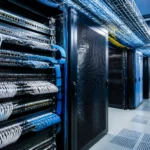

































When CIOs and CTOs discuss network performance, the conversation usually focuses on switches, firewalls, cloud platforms, bandwidth, or cybersecurity. However, one of the most important parts of the network is often hidden behind racks, ceilings, and raised floors: the cabling infrastructure.
Structured cabling is the physical foundation that connects your servers, switches, access points, cameras, phones, storage systems, and business applications. If that foundation is poorly designed or badly maintained, even the most advanced IT equipment will struggle to deliver reliable performance.
This is why structured cabling is important for business. It affects uptime, productivity, troubleshooting, security, scalability, and the total cost of operating your IT environment.
What Is Structured Cabling?
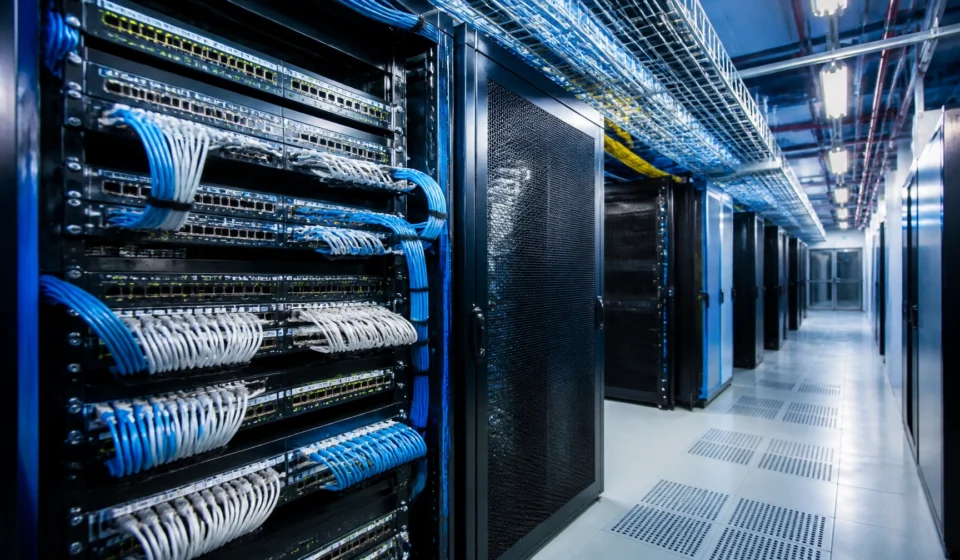
Structured cabling is a planned and standardized cabling system used to connect different areas and devices across an organization. It typically includes:
- Copper network cables such as Cat5e, Cat6, or Cat6A
- Fiber-optic cables for high-speed and long-distance links
- Patch panels and network racks
- Cable trays, pathways, and overhead routes
- Faceplates, outlets, and telecommunications rooms
- Labels, documentation, and connection maps
- Patch cords and cable-management systems
Unlike point-to-point cabling, where individual devices are connected through improvised cable runs, structured cabling follows a consistent design. Each connection is planned, labeled, documented, and installed in a way that supports future changes.
The difference is similar to the difference between a planned road network and a collection of temporary paths. Both may connect two locations, but only one is easy to manage, expand, and repair.
Why Structured Cabling Is the Foundation of Network Performance
1. It Improves Reliability and Uptime
Network interruptions do not always originate from a firewall, switch, or internet service provider. Faulty terminations, damaged cables, excessive cable length, poor routing, electromagnetic interference, and incorrectly connected patch panels can all create instability.
A properly designed cabling system helps provide:
- Consistent signal quality
- Lower packet loss
- Fewer intermittent connection problems
- Better support for high-speed networking
- Faster identification of failed links
- Reduced risk of accidental disconnections
For a business, this means fewer disruptions to applications, voice communication, video meetings, cloud services, payment systems, and customer operations.
A cable fault may appear to be a small technical problem, but the business impact can be significant when employees cannot access core systems or customers cannot complete transactions.
2. It Supports Better Employee Productivity
Slow or unreliable connectivity creates friction throughout the organization. Employees may experience:
- Delays while accessing files or applications
- Dropped video conferences
- Slow cloud applications
- Unstable Wi-Fi
- Interrupted VoIP calls
- Repeated login or authentication failures
These issues are often difficult to measure because the time is lost in small increments. A few seconds here and there can become hours of lost productivity across a large workforce.
Good structured cabling does not solve every network-performance problem, but it gives the active network a stable physical layer. This allows IT teams to investigate applications, configurations, bandwidth, and security controls without constantly questioning the basic connections.

3. It Makes Growth Easier
Businesses add users, devices, offices, access points, cameras, servers, and IoT systems over time. A cabling system designed only for today’s requirements quickly becomes a limitation.
Structured cabling supports future growth by providing:
- Spare ports and capacity
- Clearly identified pathways
- Standardized components
- Space for additional patch panels
- Easier office moves and expansions
- Better support for higher network speeds
This is especially important when an organization is adopting cloud services, AI workloads, digital workplaces, smart-building systems, or high-density data center infrastructure.
A well-designed network should not require a complete cabling replacement every time the business adds a new department or technology platform.
Common Structured Cabling Mistakes
Many cabling problems begin with shortcuts. The installation may appear cheaper or faster at the beginning, but the long-term cost is much higher.
Using Unplanned Point-to-Point Connections
Temporary cables often become permanent. Over time, direct connections between switches and devices create congestion, make troubleshooting difficult, and increase the risk of accidental disconnection.
Poor Cable Labeling
If cables are not labeled at both ends, technicians must spend valuable time tracing connections manually. During an outage, this can significantly increase the time required to restore service.
Mixing Cable Categories Without a Plan
Using different cable categories without documenting their purpose can create confusion about expected performance. A high-speed switch cannot deliver its full value if the physical cabling does not support the required standard.
Over-Bending or Over-Tightening Cables
Copper and fiber cables have installation requirements. Tight bends, excessive pulling force, crushed pathways, and poor strain relief can reduce performance or damage the cable.
Ignoring Separation Requirements
Network cables routed too close to electrical power cables or other sources of interference may experience signal problems. Proper pathway planning and separation are important in data centers and office environments.
Blocking Airflow
Large bundles of poorly managed cables can obstruct airflow in racks and equipment rooms. This may contribute to hot spots, higher cooling demand, and reduced equipment life.
Failing to Update Documentation
A cabling map that does not match the real environment is nearly as dangerous as having no map. Every change should be recorded, including new ports, removed devices, and modified patch-panel connections.
The Cost of Bad Cabling
The cost of poor cabling is not limited to replacement cables. It can affect the entire business.
Downtime and Service Disruption
A single failed link can interrupt a critical application, server connection, storage path, or network segment. If the fault cannot be located quickly, the outage may continue for hours.
Higher Troubleshooting Costs
Unlabeled and tangled cables increase the time technicians spend diagnosing problems. Every incident becomes more expensive because the IT team must first understand the physical layout before fixing the actual fault.
Premature Hardware Replacement
Poor cable management can restrict airflow around servers and switches. Higher temperatures may cause equipment to throttle performance, produce alerts, or fail earlier than expected.
Delayed Projects
Office expansions, new Wi-Fi deployments, server migrations, and cloud-connectivity projects take longer when the existing cabling is undocumented or unreliable.
Compliance and Security Risk
In regulated industries, physical infrastructure is part of the overall risk environment. Uncontrolled cables, undocumented connections, and unauthorized ports can create concerns during PCI, banking, insurance, IT security, or data center audits.
How Network Audit Services Identify Cabling Risk
A network audit should not focus only on IP addresses, firewall rules, or bandwidth utilization. It should also examine the physical foundation.
Professional Network audit services may include:
-
Physical inspection
Reviewing racks, patch panels, cable routes, power separation, cable condition, and physical protection. -
Cable testing
Testing copper and fiber links for continuity, wire mapping, insertion loss, return loss, performance, and other relevant characteristics. -
Label and documentation review
Comparing cable labels, patch-panel records, rack diagrams, and network diagrams with the actual installation. -
Performance analysis
Connecting physical-layer findings with packet loss, errors, unstable links, latency, and application complaints. -
Risk prioritization
Classifying issues according to business impact, safety, security, compliance, and upgrade requirements. -
Remediation planning
Creating a practical plan that may include re-termination, relabeling, cable replacement, rack reorganization, pathway improvements, or complete redesign.

A network audit gives leadership more than a list of technical faults. It explains which problems are urgent, what they may cost the organization, and which improvements should be completed first.
You can also read our related article, The 3:00 AM Call: Real Stories of Network Audits Saving the Day.
Connecting Structured Cabling with AKCP Environmental Monitoring
Structured cabling and environmental monitoring support the same business objective: protecting uptime.
AKCP environmental monitoring systems can track conditions such as:
- Temperature
- Humidity and dew point
- Airflow
- Water leaks
- Power conditions
- Smoke and physical access
AKCP’s official documentation describes systems that combine sensors, base units, alerts, dashboards, and integration protocols such as SNMP, Modbus, MQTT, and BACnet. Wired sensors can connect to base units using standard twisted-pair cabling, while wireless options can be used where running new cables is difficult.
This creates an important connection between cabling design and facility monitoring.
For example, an organization may use structured cabling to provide reliable connectivity for monitoring devices across racks and rooms. Sensors can then alert the operations team when a rack develops a temperature hot spot, when water is detected below a raised floor, or when humidity moves outside the desired range.
AKCP’s environmental monitoring system and data center monitoring and optimization solutions provide more information about this approach.
A well-managed cabling environment also improves sensor deployment. Cables can be routed safely, labeled clearly, and documented as part of the wider data center design. Where wired installation is impractical, wireless monitoring can extend visibility to remote or difficult-to-reach locations.

A Practical Action Plan for CIOs and IT Heads
If your organization is unsure about the condition of its cabling, begin with these steps:
Step 1: Document the Current Environment
Create an inventory of racks, patch panels, switches, cable types, critical links, and monitoring systems. Identify undocumented connections.
Step 2: Stop Adding Temporary Cables
Require every new connection to follow an approved cabling and labeling standard. Temporary solutions should have an owner and a removal date.
Step 3: Test Critical Links
Prioritize links supporting core applications, storage, data center interconnects, security systems, and internet connectivity.
Step 4: Review Airflow and Environmental Risk
Check whether cable bundles block equipment airflow or sensor placement. Consider AKCP monitoring for temperature, humidity, airflow, power, water, and access conditions.
Step 5: Schedule a Network Audit
Use the findings to build a prioritized improvement plan that aligns with business continuity, cybersecurity, compliance, and expansion goals.
Conclusion
Structured cabling is not just a collection of wires. It is a long-term business asset that supports reliability, performance, security, scalability, and operational efficiency.
When cabling is planned and maintained properly, IT teams can troubleshoot faster, deploy new technology with less disruption, and protect the equipment that the business depends on. When cabling is ignored, small physical-layer problems can become expensive outages, audit findings, security gaps, and productivity losses.
If you are planning a network upgrade, data center expansion, infrastructure review, or compliance assessment, speak with an experienced consultant before investing in more devices. The right foundation should come first.
Nicholas Barrowclough #ServerRoom #datacenter #serverroom #monitoring #uptime #modbus #remotemanagement #datacenterPUE #datacenteroperations #datacenterhealth #ThermalOptimization #uptime
