








































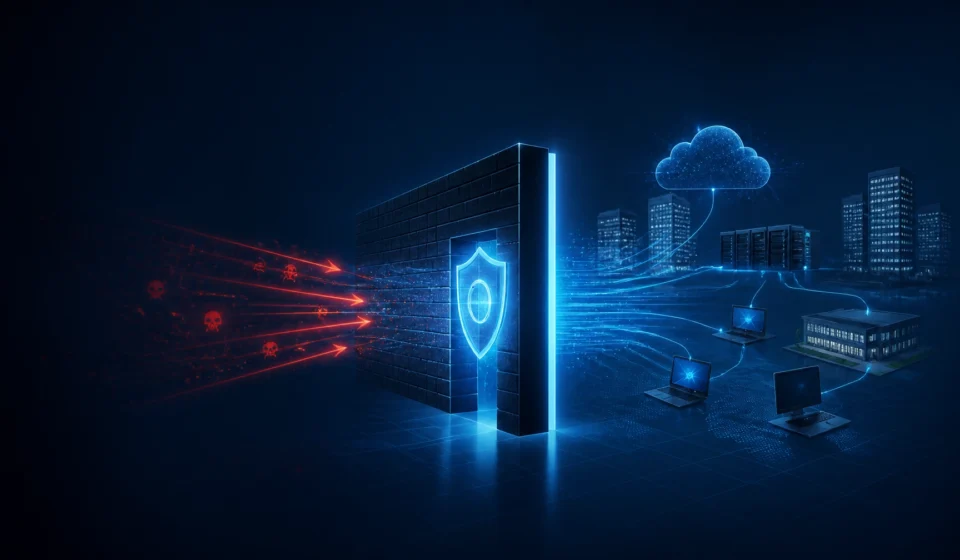

A firewall is still one of the most important security controls in any business network. But in 2026, simply having a firewall does not mean your organization is protected.
Modern businesses use cloud applications, remote access, SaaS platforms, branch offices, mobile devices, APIs, IoT systems, and hybrid infrastructure. Attackers know this. They no longer depend only on obvious port scans or basic malware. They hide inside encrypted traffic, exploit exposed edge devices, abuse valid credentials, and move laterally after gaining initial access.
This is where a NextGen Firewall (NGFW) becomes essential.
A modern NGFW does more than allow or block traffic based on IP addresses and ports. It understands applications, users, devices, content, behavior, and threats. It combines traditional firewall protection with deep packet inspection, intrusion prevention, threat intelligence, application control, identity-aware policies, and increasingly, zero-trust capabilities.
According to Palo Alto Networks’ NGFW guide, an NGFW identifies and controls applications, users, and content to enforce more precise security policies.
Why traditional firewalls are no longer enough
Traditional firewalls were designed for networks with a clear perimeter: users worked inside the office, applications were hosted in the data centre, and traffic could be classified by port and protocol.
That model has changed.
For example, most web applications use HTTPS over port 443. A traditional firewall may know that traffic is using port 443, but it may not know whether the traffic contains:
- Normal business activity
- A cloud storage upload
- Malware delivery
- Command-and-control communication
- Data exfiltration
- An unauthorized remote-access tool
Attackers also use legitimate applications and encrypted channels to hide malicious activity. If the firewall cannot identify the application or inspect the traffic safely, your security team may have limited visibility.
A NextGen Firewall adds this missing context. It asks:
- Who is using the connection?
- Which application is being used?
- What is the application doing?
- Is the device trusted and compliant?
- Is the content safe?
- Does the traffic match a known attack pattern?
- Should access be allowed only for this user, device, or business role?
What threats can a NextGen Firewall stop?
An NGFW is not a complete cybersecurity strategy, but it can prevent or reduce many common attack paths.
1. Malware and ransomware delivery
NGFWs can inspect files, web traffic, DNS requests, and application sessions for indicators of malware. When integrated with threat intelligence and sandboxing services, they can identify suspicious files or destinations before they reach users or systems.
This helps reduce the risk of ransomware entering through:
- Malicious email links
- Compromised websites
- Drive-by downloads
- Unauthorized file-sharing services
- Remote-access tools
2. Exploit attempts and intrusion activity
The integrated Intrusion Prevention System, or IPS, examines traffic for known exploit techniques and suspicious behavior. It can block attacks targeting vulnerable servers, applications, operating systems, and network services.
IPS is especially important when a business cannot patch every system immediately. It should not replace patch management, but it can provide a compensating control while remediation is in progress.
3. Command-and-control communication
After an endpoint is compromised, attackers often connect it to an external command-and-control server. NGFW capabilities such as DNS security, URL filtering, threat intelligence, and behavioral inspection can help identify and block these connections.
Stopping outbound communication can limit attacker control and reduce the impact of a breach.
4. Unauthorized applications and shadow IT
Employees may use unapproved cloud storage, VPN tools, remote-management software, or generative AI applications. Application control allows IT teams to identify these services and apply business-aware policies.
Instead of blocking all cloud storage, for example, an organization may allow approved applications while restricting risky uploads or access for specific user groups.
5. Lateral movement
A firewall deployed only at the internet edge may not stop an attacker who is already inside the network. NGFWs can also support internal segmentation between:
- User networks
- Server networks
- Data centre systems
- Guest networks
- IoT and OT devices
- Critical databases
- Administrative systems
This reduces unnecessary east-west traffic and makes it harder for an attacker to move from one system to another.

Deep Packet Inspection: seeing more than IP addresses
Deep Packet Inspection (DPI) examines packet contents and application behaviour rather than looking only at packet headers.
A traditional firewall may evaluate:
- Source IP
- Destination IP
- Port
- Protocol
- Connection state
An NGFW can add:
- Application identity
- User identity
- URL category
- File type
- Malware indicators
- Threat signatures
- Protocol behaviour
- Data patterns
- Device context
DPI is particularly valuable because modern applications may use non-standard ports, tunnelling, or encryption. It allows the firewall to understand what traffic is doing at the application layer.
What about encrypted traffic?
Encryption protects privacy, but it can also hide malicious content. NGFWs can use policy-based SSL/TLS inspection to decrypt, inspect, and re-encrypt selected traffic.
This must be planned carefully. Organizations should define:
- Which traffic must be inspected
- Which sensitive categories should be excluded
- How certificates will be managed
- How privacy and regulatory requirements will be followed
- What performance impact inspection may create
- How decrypted traffic will be logged and protected
A business should never enable decryption blindly. It should create a documented policy based on legal, privacy, operational, and security requirements.
Intrusion Prevention should be active, not just installed
Many organizations purchase an NGFW with IPS but leave important security profiles disabled or apply them only to internet-facing rules.
That creates a false sense of security.
During implementation, confirm that IPS and threat-prevention profiles are applied to the traffic that matters, including:
- Internet-to-server traffic
- User-to-internet traffic
- Branch-to-data-centre traffic
- Remote-access traffic
- High-risk east-west traffic
- Cloud workload connections
IPS alerts should also be reviewed. A system that generates thousands of untriaged alerts is not providing effective protection. Your team should define severity levels, escalation processes, tuning procedures, and response actions.
How NGFW supports Zero Trust
Zero Trust means access is not automatically trusted simply because a user or device is inside the corporate network.
A NextGen Firewall can support Zero Trust by enforcing policies based on identity, device, application, location, risk, and business need.
A practical Zero Trust policy may say:
The finance team can access the finance application from a managed device, using multi-factor authentication, but cannot access the database directly.
This is more precise than allowing an entire internal subnet to communicate freely.

Useful Zero Trust controls include:
- Identity-based access policies
- Multi-factor authentication for administrators and remote users
- Least-privilege rules
- Network segmentation
- Device posture checks
- Default-deny rules for sensitive zones
- Continuous logging and verification
- Restricted administrative access
NGFWs do not implement every part of Zero Trust on their own. They work alongside identity providers, endpoint security, ZTNA platforms, SIEM systems, and access-management tools.
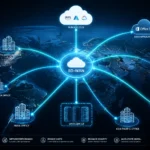
Connecting NGFW with SD-WAN
SD-WAN improves how organizations connect branches, cloud services, data centres, and remote locations. However, better connectivity without consistent security can increase risk.
When NGFW and SD-WAN capabilities work together, organizations can:
- Apply consistent security policies across branches
- Select the best network path based on application performance
- Protect internet breakout at branch locations
- Secure traffic between branches and cloud platforms
- Improve visibility into business-critical applications
- Reduce the need for separate security appliances
- Support hybrid and multi-cloud connectivity

CIOs should avoid treating SD-WAN as only a connectivity project. Every SD-WAN rollout should include security architecture, identity controls, encryption, logging, segmentation, and a clear ownership model.
The Palo Alto Networks SD-WAN overview provides an example of how firewall and SD-WAN capabilities can be combined. The same design principle applies regardless of the vendor selected.
Use a network audit to test whether the firewall is really protecting you
A firewall audit should verify actual protection, not only whether the device is powered on.
Our recommended IT security audit checklist includes the following areas:
| Audit area | Questions to verify |
|---|---|
| Asset inventory | Are all physical, virtual, cloud, and branch firewalls documented? |
| Firmware | Are operating systems and security signatures current? |
| Management access | Is administration restricted to a secure management network? |
| MFA | Is multi-factor authentication enforced for privileged access? |
| Rulebase | Are rules specific, justified, approved, and reviewed? |
| Any-any rules | Are broad rules removed or formally approved with expiry dates? |
| DPI and IPS | Are inspection and prevention profiles applied to relevant traffic? |
| TLS inspection | Is encrypted traffic inspected where legally and operationally appropriate? |
| Segmentation | Are critical servers, users, guests, and IoT systems separated? |
| Logging | Are firewall, threat, admin, and policy-change logs sent to a SIEM? |
| Backups | Are configuration backups encrypted, tested, and protected from tampering? |
| SD-WAN | Are branch policies consistent with headquarters and cloud policies? |
| Incident response | Can the team block an application, user, IP, or domain quickly? |
| Rule review | Are unused, duplicate, shadowed, and expired rules removed? |
A network audit can reveal common weaknesses such as:
- Publicly exposed management interfaces
- Old firmware
- Unused VPN accounts
- Overly broad access rules
- Missing IPS profiles
- Unmonitored firewall logs
- Inconsistent branch policies
- Unapproved firewall changes
- No tested configuration recovery process
This is why Network audit services should be performed regularly and after major changes such as cloud migration, mergers, SD-WAN deployment, data-centre redesign, or a security incident.

Final answer: Is your business protected?
A NextGen Firewall can significantly improve your security posture, but it is not a “set and forget” product.
Your business is better protected when the NGFW is:
- Properly designed for your network
- Updated and securely managed
- Configured with least-privilege policies
- Using DPI and IPS where appropriate
- Integrated with identity and Zero Trust controls
- Connected to centralized logging and monitoring
- Aligned with SD-WAN and cloud security requirements
- Reviewed through regular network and IT security audits
- Supported by tested incident-response procedures
The real question is not, “Do we have a firewall?”
The better question is:
“Can our firewall identify, inspect, explain, and stop risky activity across our users, applications, branches, cloud environments, and critical infrastructure?”
If you need guidance on NextGen Firewall to protect business, network audit services, IT security audit planning, cybersecurity, cloud security, or career and technology growth, contact Shelesh for practical guidance.
Further reading
