












































An IT security audit is more than a technical review of firewalls, servers, and user accounts. It is a structured way to understand whether your organization can prevent, detect, respond to, and recover from cyber threats.
For CIOs, CTOs, IT Heads, and Compliance Officers, the audit also answers important business questions:
- Can we protect critical business and customer data?
- Are our systems aligned with regulatory and contractual requirements?
- Can we detect a ransomware attack quickly?
- Are our cloud, network, and third-party connections secure?
- Can we prove that our controls are working?
This IT security audit checklist provides a practical, step-by-step approach for reviewing your organization’s security posture.
What Does an IT Security Audit Cover?
A complete audit usually examines six major areas:
- Governance, policies, and risk management
- Identity and access management
- Network, firewall, and remote-access security
- Data, endpoint, application, and cloud protection
- Monitoring, incident response, and business continuity
- Physical security and environmental controls
A useful structure is the NIST Cybersecurity Framework 2.0, which organizes cybersecurity activities under six functions: Govern, Identify, Protect, Detect, Respond, and Recover.
Step 1: Define the Audit Scope and Objectives
Before testing any control, clearly define what the audit will cover.
Review the following:
- Business locations, offices, data centers, and server rooms
- On-premises infrastructure and private cloud environments
- AWS, Azure, GCP, and other cloud services
- Critical applications, databases, APIs, and websites
- End-user devices, mobile devices, and remote workers
- Network infrastructure, VPNs, wireless networks, and firewalls
- Third-party vendors and managed service providers
- Regulatory requirements such as PCI DSS, RBI, SEBI, insurance, or contractual controls
Your audit objectives should be specific. For example:
- Review privileged-access controls
- Validate firewall rules and network segmentation
- Test vulnerability-management procedures
- Confirm backup and disaster-recovery readiness
- Assess data center physical and environmental security
- Identify gaps before a regulatory or customer audit
A clearly defined scope prevents the audit from becoming a general technology review with no measurable outcome.
Step 2: Build an Accurate Asset Inventory
You cannot secure assets that you do not know exist.
Create or validate an inventory containing:
- Servers and virtual machines
- Network switches, routers, and firewalls
- Endpoints and mobile devices
- Databases and storage systems
- SaaS applications and cloud resources
- Public IP addresses and internet-facing services
- APIs, integrations, and third-party connections
- Data center equipment and backup systems
For every asset, record its owner, location, business purpose, operating system, criticality, and support status.
Pay particular attention to:
- Unsupported operating systems
- Forgotten development systems
- Unused cloud resources
- Shadow IT applications
- Devices with default credentials
- Internet-facing services that are no longer required
An incomplete asset inventory is one of the most common reasons security audits identify serious gaps.

Step 3: Review Governance, Policies, and Risk
Security controls must be supported by clear policies and accountable owners.
Review whether your organization has current and approved policies for:
- Information security
- Acceptable technology use
- Passwords and multi-factor authentication
- Remote access and VPN usage
- Data classification and handling
- Backup and disaster recovery
- Incident response
- Change management
- Vulnerability management
- Vendor and third-party risk
- Bring-your-own-device usage
- Security awareness and training
The audit should verify not only that policies exist, but also that employees and technical teams follow them.
Maintain a risk register showing:
- The identified risk
- Affected asset or process
- Business impact
- Likelihood
- Risk owner
- Planned treatment
- Target completion date
- Current status
For organizations using the NIST CSF 2.0, map audit findings to Govern, Identify, Protect, Detect, Respond, and Recover outcomes.
Step 4: Audit Identity and Access Management
Weak identity controls can allow attackers to move through an organization even when the firewall is configured correctly.
Your checklist should include:
- Joiner, mover, and leaver procedures
- Timely removal of departed employees
- Multi-factor authentication for administrators, VPNs, cloud consoles, and sensitive applications
- Periodic user-access reviews
- Privileged-access management
- Separation of administrative and standard accounts
- Controls for shared and service accounts
- Password vaulting and credential rotation
- Least-privilege access
- Emergency or break-glass account monitoring
Ask application and data owners to confirm whether users still need their current access. Do not rely only on reports from the identity platform; obtain business-owner approval for critical systems.
Step 5: Complete a Network and Firewall Audit
A strong Network audit services process reviews how data moves through the organization and whether that movement is properly controlled.
Review:
- Current network diagrams
- VLANs, subnets, and routing rules
- DMZ architecture
- Internal and external data flows
- User, server, guest, IoT, and production network separation
- VPN configuration and remote-access permissions
- Wireless security
- Internet-facing services
- Open ports and unnecessary protocols
- Network device hardening
- DNS and email security controls
- Network traffic logs and flow data
For the firewall rule base, check:
- Business justification for every rule
- Rule owner and approval record
- Last review date
- Source and destination restrictions
- Port and application restrictions
- Expiry dates for temporary rules
- Removal of unused or duplicate rules
- Elimination of overly broad “any-to-any” access
- Logging for sensitive or denied traffic
- Change tickets for every modification
A next-generation firewall can improve visibility through application awareness, intrusion prevention, URL filtering, malware detection, and user-based policies. However, the technology will not compensate for poor rule governance. The firewall must be correctly configured, regularly reviewed, monitored, and updated.

Step 6: Check Vulnerability, Patch, and Endpoint Security
Review whether vulnerabilities are discovered, prioritized, and remediated consistently.
The audit should verify:
- Internal and external vulnerability scanning
- Authenticated scanning for servers and critical systems
- Patch-management reports
- Remediation timelines based on risk
- Penetration-testing reports
- Application and API security testing
- Endpoint Detection and Response coverage
- Antivirus status and policy enforcement
- Secure configuration baselines
- End-of-life technology tracking
- Evidence that critical findings were closed
The CIS Controls provide useful guidance for continuous vulnerability management and network monitoring. A scan report alone is not evidence of security. Auditors will also want to see remediation tickets, ownership, deadlines, exceptions, and verification results.
Step 7: Review Data, Cloud, and Application Protection
Identify where sensitive information is stored, processed, transmitted, and backed up.
Check:
- Data classification
- Encryption in transit and at rest
- Database access controls
- Key and secret management
- Backup encryption
- Data-retention rules
- Data-loss prevention
- Cloud storage permissions
- Public bucket and public-sharing exposure
- SaaS administrator accounts
- API authentication and authorization
- Secure software-development practices
- Application logging
- Production-change approvals
In AWS, Azure, and GCP, review identity permissions, security groups, storage settings, logging, backup configuration, and exposed management interfaces. Cloud security is a shared responsibility: the provider secures the underlying platform, while your organization must secure its configuration, identities, data, and workloads.
Step 8: Validate Monitoring, Detection, and Incident Response
A security audit must determine whether your organization can detect suspicious activity quickly.
Review whether logs are collected from:
- Firewalls and routers
- Identity platforms
- Servers and endpoints
- Databases and applications
- Cloud services
- VPN systems
- EDR and security tools
- Physical access systems
- Data center environmental monitoring devices
Confirm that alerts exist for:
- Repeated failed logins
- Privilege escalation
- Disabled security tools
- Unusual data transfers
- Malware detections
- Firewall-policy changes
- New administrator accounts
- Suspicious remote access
- Temperature, power, smoke, or water events in critical facilities
Incident-response plans should cover ransomware, data breaches, compromised accounts, cloud exposure, insider threats, and major outages. Conduct tabletop exercises and technical recovery tests. After every exercise, update the playbook.
Step 9: Include Physical and Environmental Security
Cybersecurity does not stop at the network boundary. An unauthorized person who reaches a server rack may bypass many logical controls.
Review:
- Data center access badges
- Visitor records
- CCTV coverage
- Locked racks and cabinets
- Equipment-handling procedures
- Media destruction
- UPS and generator protection
- Fire and smoke detection
- Water-leak detection
- Temperature and humidity monitoring
- Power and circuit monitoring
- Alarm escalation and response
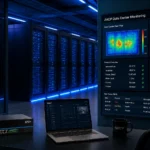
AKCP monitoring solutions can support this part of the audit by providing visibility into temperature, humidity, power, water leaks, smoke, airflow, cabinet access, and other physical conditions. The AKCP securityProbe series is designed for remote environmental and physical-security monitoring, while AKCP data center monitoring and optimization combines thermal, power, and security information.
This evidence can help demonstrate that the organization is protecting the physical availability and integrity of critical IT infrastructure.

Common Gaps Found During IT Security Audits
The same weaknesses appear repeatedly across organizations:
- Incomplete asset inventory
- Excessive administrator privileges
- MFA not enabled for all critical systems
- Firewall rules that have not been reviewed
- Flat networks without effective segmentation
- Unsupported operating systems
- Unpatched internet-facing systems
- Incomplete logging and alert coverage
- Backups that have never been restored in a test
- Unclear incident-response responsibilities
- Cloud storage with excessive permissions
- Third-party access without regular review
- No environmental monitoring in server rooms
- Policies that exist but are not followed
Prioritize findings according to business impact. A critical weakness affecting a payment system or customer database should not be treated the same as a low-risk documentation issue.
How to Prepare for an IT Security Audit
Start preparation at least several weeks in advance.
Create an evidence folder containing:
- Approved policies
- Asset and network inventories
- Firewall review records
- Access-review reports
- Vulnerability and patch reports
- Penetration-test results
- Incident-response plans
- Backup and restore evidence
- Vendor assessments
- Training records
- Data center access logs
- Environmental monitoring reports
- Risk register and remediation plan
Assign one owner for each control area. Be transparent about exceptions and open risks. Auditors generally respond better to a documented, risk-managed exception than to missing information or unsupported claims.
Final Checklist for CIOs
Before signing off, confirm:
- Do we know every critical asset and data flow?
- Are privileged accounts reviewed and protected with MFA?
- Are firewall rules documented, approved, and regularly reviewed?
- Is the network segmented according to business risk?
- Are vulnerabilities tracked through verified remediation?
- Are cloud services configured securely?
- Are important logs centralized and monitored?
- Can we detect and respond to ransomware?
- Have backups and recovery procedures been tested?
- Is the data center physically and environmentally protected?
- Does every high-risk finding have an owner and deadline?
An IT security audit should not be treated as a one-time compliance exercise. It should become a continuous management process that improves resilience, reduces operational risk, and supports business growth.
For guidance on the latest technology, career growth, or job planning for Gulf countries, use the Contact Shelesh for Guidance button.
Learn more about IT Consultant and its technology, audit, infrastructure, and cybersecurity guidance.
Nicholas Barrowclough
#ServerRoom #datacenter #serverroom #monitoring #uptime #modbus #remotemanagement #datacenterPUE #datacenteroperations #datacenterhealth #ThermalOptimization #uptime
