


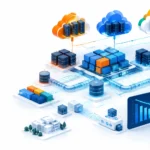







































For years, VMware was the default choice for enterprise data center virtualization. It helped organizations run multiple workloads on fewer physical servers, improve hardware utilization, simplify disaster recovery, and manage large infrastructure environments from a central platform.
Now, cloud has changed the conversation.
CIOs and CTOs are asking:
- Should we continue investing in VMware?
- Should we migrate virtual machines to AWS or Azure?
- Is a hybrid cloud model still practical?
- Should new applications run on VMware, Kubernetes, containers, or cloud-native services?
- How can we control infrastructure costs without increasing operational risk?
The short answer is that VMware is still relevant, but it should no longer be treated as the automatic answer for every workload.
For many organizations, the right strategy is selective: keep VMware where it delivers strong business value, use AWS or Azure where elasticity is more important, and modernize applications gradually instead of forcing every workload into one environment.
What VMware still does well
VMware’s core value comes from virtualization. Instead of dedicating one physical server to one application, a hypervisor such as ESXi allows multiple virtual machines to share the same physical hardware.
This creates several benefits:
- Better server utilization
- Faster provisioning
- Easier workload migration
- Centralized administration
- High availability and workload recovery
- More consistent infrastructure operations
- Reduced dependency on physical hardware
The most widely known VMware platform is vSphere, which includes technologies such as:
- ESXi for server virtualization
- vCenter Server for centralized management
- vMotion for moving running workloads between hosts
- High Availability for restarting workloads after host failure
- Distributed Resource Scheduler for balancing workloads
- vSAN for software-defined storage
- NSX for software-defined networking and security
For a data center manager, this operational maturity is important. Teams already understand how to monitor, back up, patch, secure, and troubleshoot VMware environments. Replacing a mature platform is not simply a licensing decision. It also affects skills, tools, processes, application compatibility, disaster recovery, and audit controls.
VMware’s role in the modern data center
Modern data centers are no longer purely physical. They are a combination of:
- Virtual machines
- Containers and Kubernetes
- Bare-metal servers
- Private cloud platforms
- Public cloud services
- SaaS applications
- Edge computing infrastructure
- AI and data analytics workloads
VMware can act as the private cloud foundation for workloads that need predictable performance, stronger control over data location, or close integration with existing enterprise systems.
It is often a good fit for:
- Core banking and financial applications
- ERP and business-critical systems
- Legacy applications that are difficult to replatform
- Regulated workloads with data residency requirements
- Applications requiring consistent low latency
- Virtual desktop infrastructure
- Disaster recovery environments
- Private cloud environments
- Workloads already supported by VMware tools and skills
The platform is also evolving toward a broader private cloud model through VMware Cloud Foundation, which brings together virtualization, storage, networking, automation, operations, and Kubernetes capabilities. CIOs can review the current platform direction on the official VMware Cloud Foundation page.
However, VMware is not the best platform for every new application. A modern application built specifically for containers, serverless services, managed databases, or event-driven architecture may gain more value from native AWS or Azure services.
Hybrid cloud with VMware and Azure
One of the most practical approaches for existing VMware customers is hybrid cloud.
With Azure VMware Solution, organizations can run VMware environments on Azure infrastructure while continuing to use familiar VMware technologies and operational processes. Microsoft states that the service includes VMware vSphere, HCX, NSX, and vSAN.

Azure VMware Solution can be useful when an organization wants to:
- Reduce its physical data center footprint
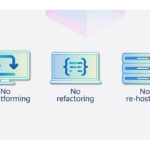
- Move VMware workloads without immediate refactoring
- Create cloud-based disaster recovery
- Add capacity without purchasing new hardware
- Maintain existing VMware skills
- Connect VMware workloads with Azure services
- Modernize applications gradually
This approach is especially useful for organizations that have a large VMware estate but are not ready to redesign every application.
For example, a company might move its VMware virtual machines to Azure first, then connect selected applications to Azure databases, analytics, identity, security, or AI services. Over time, some workloads can be modernized while others continue running on vSphere.
However, Azure VMware Solution still requires careful financial analysis. Managed cloud infrastructure can simplify operations, but compute, storage, networking, licensing, backup, and data transfer costs must be included in the business case.
Hybrid cloud with VMware and AWS
AWS offers multiple paths for VMware customers. Organizations can:
- Migrate virtual machines to Amazon EC2
- Modernize applications using AWS managed services
- Run VMware Cloud Foundation environments on AWS
- Use AWS infrastructure on-premises through AWS Outposts
- Explore alternative virtualization platforms
- Use AWS services for backup, analytics, security, and application modernization

The AWS VMware guidance presents several migration and modernization options rather than a single path. This is important because not every VMware workload should be treated the same way.
A stable legacy application may be moved to EC2 with minimal changes. A customer-facing application may be better suited for containers, managed databases, or serverless services. A regulated workload may remain in a private data center because of latency, control, or data sovereignty requirements.
AWS also recommends using assessments to understand infrastructure utilization and licensing costs before migration. This is a useful practice for any CIO. Do not begin with the question, “How do we move everything?” Begin with, “Which workload belongs in which environment?”
For more practical guidance, see our article on optimizing AWS and Azure cloud spending.
When VMware still makes sense
VMware remains a strong choice when the following conditions apply:
1. You have a large existing VMware environment
If your team already operates hundreds of virtual machines, the migration cost may be higher than the expected savings. Include application testing, downtime planning, staff training, backup redesign, security changes, and operational tooling in the calculation.
2. Your workloads need predictable performance
Some applications require stable latency and dedicated capacity. A well-designed private cloud can provide more predictable performance than a shared public cloud environment.
3. Compliance and data sovereignty are priorities
Banks, insurers, government organizations, and other regulated businesses may need precise control over where data is stored and processed. VMware can support a private cloud model with defined access, network segmentation, and governance controls.
4. You need a gradual modernization path
VMware can serve as a bridge. Keep the existing workload stable while modernizing the application around it.
5. Your disaster recovery strategy is based on VMware
Existing replication, backup, orchestration, and recovery processes may be valuable. Moving away from VMware without redesigning business continuity can increase risk.
When cloud-native is the better choice
Cloud-native services may be better for:
- New digital products
- Highly variable workloads
- Global applications requiring rapid scale
- Container-based platforms
- Event-driven systems
- Machine learning and AI services
- Managed database workloads
- Applications designed for continuous delivery
- Teams that want to minimize infrastructure management
Cloud-native does not simply mean “running a virtual machine in the cloud.” It usually means using managed services, containers, automation, APIs, serverless components, and platform engineering practices to reduce operational overhead.
A practical comparison looks like this:
| Requirement | VMware/private cloud | AWS or Azure cloud-native |
|---|---|---|
| Existing legacy applications | Strong fit | May require migration effort |
| Predictable workloads | Strong fit | Strong fit with proper sizing |
| Rapid global scaling | Limited by design and capacity | Strong fit |
| Data sovereignty | High control | Depends on region and architecture |
| Kubernetes-native development | Possible through integrated services | Broad managed service options |
| Hardware management | Customer responsibility on-premises | Reduced with managed services |
| Cost model | Subscription, hardware, facilities, operations | Consumption, licensing, data transfer |
| Modern application delivery | Requires platform engineering | Extensive native services |
The goal is not to choose VMware or cloud based on industry fashion. The goal is to place each workload where it can meet business, security, performance, compliance, and cost requirements.
Why physical monitoring still matters in a virtualized data center
Virtualization does not remove physical risk.
A single server may host dozens of virtual machines. If that server overheats, loses power, or suffers from a cooling problem, the impact can affect many business services at the same time.
This is why data center monitoring solutions remain essential. Monitoring should cover:
- Rack inlet temperature
- Humidity
- Airflow
- Differential pressure
- Water leaks
- Power availability
- UPS and battery condition
- Door access
- Smoke and environmental conditions
- Cabinet-level thermal behavior

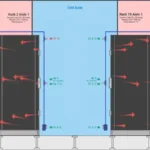
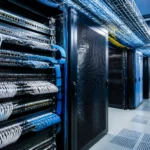
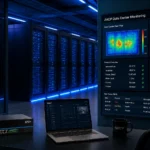
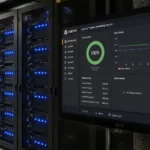
AKCP sensors can provide environmental visibility at the rack and room level. The data can help IT teams detect hot spots, cooling failures, water leaks, and power-related risks before they become service outages.
For virtualized infrastructure, this monitoring is particularly important because hardware consolidation increases dependency on fewer physical hosts. A cooling problem affecting one high-density server may impact multiple applications, virtual networks, and storage services.
AKCP also supports broader thermal optimization through sensor-based data, real-time analytics, and digital twin capabilities. Read more about AKCP data center monitoring and thermal optimization.
Our related guide on data center cooling mistakes and AKCP sensors explains why rack-level visibility is more useful than relying only on a room thermostat.
A practical decision framework for CIOs
Before renewing, expanding, or replacing VMware, complete these steps:
-
Inventory every workload
Record application owner, business criticality, dependencies, performance requirements, compliance needs, and recovery objectives. -
Measure actual utilization
Review CPU, memory, storage, network, and virtual machine utilization. Do not base decisions on allocated capacity alone. -
Model the full cost
Include VMware subscriptions, servers, storage, networking, data center power, cooling, support, backup, staff, cloud consumption, and data transfer. -
Classify workloads
Separate workloads into retain, migrate, modernize, replace, or retire categories. -
Test hybrid cloud connectivity
Validate latency, identity, security, backup, monitoring, and operational responsibilities before moving production workloads. -
Protect the physical layer
Deploy environmental and power monitoring before increasing virtualization density or adding high-performance servers.
Final answer: Is VMware still relevant?
Yes: but VMware should be used deliberately.
It remains relevant for private cloud, regulated workloads, legacy applications, predictable enterprise systems, disaster recovery, and organizations that value operational consistency. AWS and Azure are often better for elastic workloads, new digital products, managed services, and cloud-native development.
For many CIOs, the best answer will be a balanced architecture:
- VMware for stable and controlled private cloud workloads
- AWS or Azure for elasticity and innovation
- Kubernetes for container-based applications
- Managed cloud services for databases, analytics, and AI
- AKCP for physical data center monitoring and risk reduction
That is the practical path toward cloud infrastructure optimization: not moving everything blindly, but creating a workload strategy that improves resilience, cost control, security, and business agility.
Need guidance?
Nicholas Barrowclough #ServerRoom #datacenter #serverroom #monitoring #uptime #modbus #remotemanagement #datacenterPUE #datacenteroperations #datacenterhealth #ThermalOptimization #uptime
