


































How Digital Signage Boosts Employee Communication and Productivity in the Modern Workplace

In a modern organization, information must move quickly. Employees need to know what is happening, what requires attention, and how their work contributes to business goals.
Email, chat, and intranet platforms remain important, but important messages can easily get buried. Digital signage provides a visible, real-time communication channel in the places where employees work, move, and collaborate.
For CIOs, CTOs, IT Heads, HR Heads, and COOs, digital signage is more than a screen on a wall. It can become part of a wider workplace communication, productivity, safety, and smart building strategy.
If you are searching for “Digital Signages and benifities for organization,” the key benefit is simple: digital signage makes the right information visible at the right time.
What is digital signage in the workplace?
Workplace digital signage uses screens to display dynamic information such as:
- Internal announcements
- Company news
- Real-time KPI dashboards
- Meeting-room schedules
- Training reminders
- Employee recognition
- Emergency alerts
- Safety instructions
- IT maintenance updates
- Energy and building status
The content can be managed centrally and scheduled for specific screens, departments, locations, or shifts. This makes it useful for corporate offices, factories, warehouses, hospitals, retail environments, campuses, and data centers.
According to Staffbase’s guide to workplace digital signage, digital signage helps organizations improve internal communication, employee engagement, and workplace connection.
1. Faster and more visible employee communication
One of the biggest advantages of digital signage is visibility.
Employees may not read every email or check every internal communication platform. However, a screen in a reception area, cafeteria, corridor, factory floor, or break room can communicate important information repeatedly throughout the day.
Organizations can use digital signage to share:
- Leadership messages
- Policy updates
- IT service announcements
- Office closures
- New project information
- Training schedules
- Business targets
- Town hall reminders
- Health and safety notices
This reduces dependence on printed notices and helps prevent important updates from becoming lost in crowded inboxes.
Digital signage can also support different audiences. For example, an office screen may display meeting schedules and corporate news, while a warehouse screen shows shift information, safety instructions, and operational targets.
2. Real-time KPI dashboards improve accountability
Employees perform better when they understand priorities and can see progress.
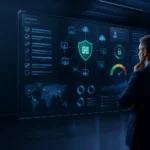
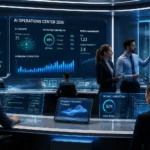
Digital signage can display live or frequently updated KPIs from business intelligence, CRM, ERP, production, service desk, or operations systems. Depending on the organization, dashboards may include:
- Sales performance
- Production output
- Customer satisfaction
- Service-level performance
- Open support tickets
- Delivery status
- Project progress
- Quality metrics
- Energy consumption
- Network uptime
- Security incidents
A KPI dashboard should not be used to create unnecessary pressure. Its purpose is to provide useful visibility and encourage teams to make better decisions.
When a team sees that a target is behind schedule, it can respond earlier. When a team achieves an important milestone, the result can be recognized immediately.
For leadership, visible KPIs can reduce the need for repeated status meetings. Teams can use shared information to focus discussions on decisions, risks, and corrective actions.

3. Emergency alerts can reach employees quickly
During an emergency, speed and clarity are critical.
Digital signage can be connected to emergency communication systems and configured to override normal content. Screens can immediately display:
- Evacuation instructions
- Fire or smoke warnings
- Severe weather alerts
- Security notifications
- Restricted-area warnings
- Emergency contact information
- Assembly-point directions
- Temporary building closures
- Network or facility outages
A clear visual message can help reduce confusion, particularly in large workplaces where employees may be spread across several floors or buildings.
Digital signage should not replace fire alarms, public-address systems, emergency lighting, or formal business continuity procedures. Instead, it should complement them as another communication layer.
A well-designed emergency communication process should define:
- Who can activate an emergency message
- Which screens receive the message
- What information must be displayed
- How messages are approved and updated
- How the organization returns to normal content
4. Internal announcements become more engaging
Internal communication is not only about urgent notices. It also plays an important role in employee engagement and company culture.
Digital signage can help HR and leadership teams share:
- Employee achievements
- Work anniversaries
- New-joiner introductions
- Team milestones
- CSR initiatives
- Diversity and inclusion programs
- Learning opportunities
- Employee wellness information
- Company celebrations
- Customer success stories
Recognition displayed in a shared workplace can improve morale and help employees feel connected to the organization.
The most effective content is short, visual, and relevant. A screen should not display a full policy document. Instead, it can show the key message and direct employees to the intranet, HR portal, or internal knowledge base for more details.
5. Less time searching for information
Employees lose time when they must search across email threads, chat messages, shared drives, and different business applications to find basic information.
Digital signage can place frequently needed information in visible locations, including:
- Room availability
- Visitor instructions
- Daily schedules
- Production priorities
- Transport updates
- Cafeteria menus
- Maintenance notifications
- Network maintenance windows
- Training sessions
- Workplace guidelines
This is particularly useful for frontline and deskless employees who may not regularly use a laptop or corporate email.
Digital signage also helps reduce repetitive questions. If employees can see the meeting-room schedule, planned maintenance, or shift announcement on a screen, they may not need to contact HR, facilities, or IT for routine information.
6. Connecting digital signage with AKCP smart building solutions
Digital signage becomes even more valuable when it displays information from the physical environment.
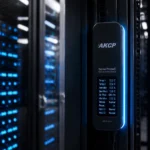
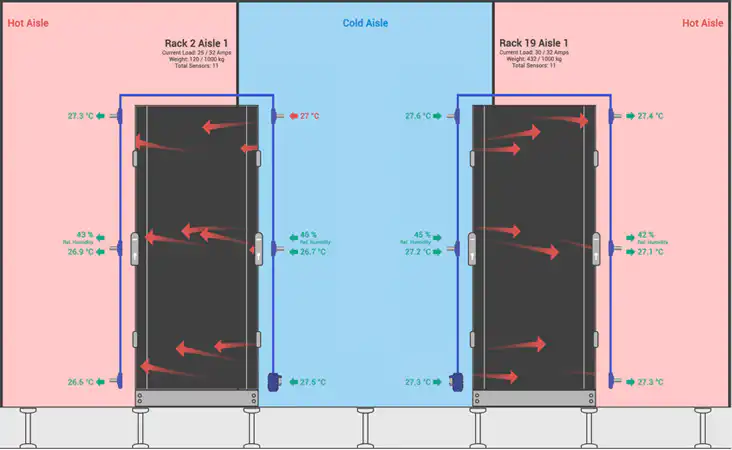
AKCP provides environmental and power monitoring solutions for data centers, server rooms, warehouses, technical facilities, and other critical environments. Its environmental monitoring system can monitor conditions such as:
- Temperature
- Humidity and dew point
- Airflow
- Water leaks
- Power and PDU load
- Smoke and fire conditions
- Door access
- Cabinet security
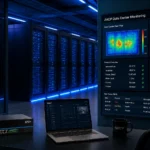
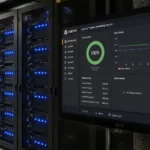
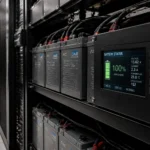
This information can be displayed through monitoring dashboards, local displays, alarm indicators, or a larger workplace operations screen.
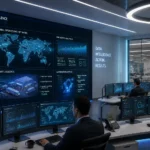
For example, a facilities team could use a wall-mounted dashboard to show:
- Current server-room temperature
- Humidity status
- Active alarms
- UPS or power conditions
- Water-leak status
- Data center availability
- Energy and cooling trends
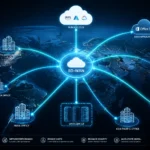
AKCP systems also support open protocols such as SNMP, Modbus, MQTT, and BACnet, which can help integrate monitoring data with existing DCIM, BMS, or network-management systems.
This creates a useful connection between workplace communication and infrastructure operations. Employees see relevant building information, while IT and facilities teams receive a clear view of conditions that may affect uptime, equipment life, and energy consumption.
7. Supporting energy efficiency and sustainability
Digital signage can help communicate sustainability goals, but connected monitoring can also provide the data needed to act on them.
Organizations can display:
- Daily energy consumption
- Building electricity usage
- Data center PUE
- Solar generation
- Cooling performance
- Carbon-reduction progress
- Equipment utilization
- Water and environmental alerts
AKCP’s data center monitoring and optimization solutions provide visibility into temperature, power, thermal conditions, and infrastructure performance.
When teams can see energy trends, they are more likely to identify waste and support improvement initiatives. For example, an IT team may discover that a server room is being overcooled, or that unused equipment continues to consume power.
Digital signage should not only show attractive sustainability messages. It should display meaningful measurements that help teams understand progress and make informed decisions.
8. How CIOs and IT Heads should plan a digital signage project
A successful project begins with business objectives, not hardware purchases.
Step 1: Define the communication problem
Identify what information is currently missed, delayed, duplicated, or difficult to access.
Step 2: Select the right locations
Consider reception areas, cafeterias, production floors, elevators, meeting areas, control rooms, and technical facilities.
Step 3: Create content ownership
Assign responsibility to departments such as HR, IT, facilities, communications, and operations. Define who can publish emergency or priority messages.
Step 4: Integrate trusted data sources
Where possible, connect signage to calendars, KPI systems, HR platforms, alerting tools, service desks, and smart building monitoring systems.
Step 5: Keep messages simple
Use short headlines, clear visual hierarchy, high contrast, and readable font sizes. Avoid placing too much information on one screen.
Step 6: Measure results
Track improvements such as:
- Reduced printing costs
- Faster announcement delivery
- Fewer repeated questions
- Improved event participation
- Faster emergency communication
- Better KPI awareness
- Improved energy visibility
Final thoughts
Digital signage helps organizations communicate with greater speed, clarity, and consistency. It supports internal announcements, employee engagement, KPI visibility, workplace safety, and operational productivity.
When connected with smart building and infrastructure monitoring platforms such as AKCP, it can also show the health of critical facilities in real time. This helps IT, facilities, and business leaders move from reactive communication to proactive operations.
Digital signage is not a replacement for email, collaboration platforms, or employee applications. It is a high-visibility communication layer that makes essential information easier to see and act on.
For guidance related to digital signage, AKCP smart building solutions, the latest technology, career growth, or job planning for Gulf countries, contact Shelesh.
Nicholas Barrowclough
#ServerRoom #datacenter #serverroom #monitoring #uptime #modbus #remotemanagement #datacenterPUE #datacenteroperations #datacenterhealth #ThermalOptimization #uptime
